
Resort Map & Virtual Tour
See our site map, explore 360° tours, and choose your perfect area

Explore the Resort Map
Insert the current map image or PDF viewer from the Resort Map page so guests can zoom.
This is the official Coachella Lakes Resort Map. Use it to spot site areas, amenity locations, and walking paths around the lakes. If you prefer an offline copy for arrival, grab the PDF download. Keep in mind that specific site numbers are assigned at booking based on availability; if you have proximity preferences (e.g., “near K9 Corner” or “pull‑thru near exit”), add that in your reservation notes and we’ll do our best to accommodate.
Choose Your Area & Site Type
Pick the area that matches your routine—easy ins/outs, lakeside sunsets, or dog‑park proximity. The map legend shows the site types you’ll see in our booking engine. Here’s how they differ at a glance.
- Pull-Thru Sites: Best for big rigs and quick arrivals/departures; minimal backing.
- Front Row Back-In: Easy access near primary drives with fast walks to amenities.
- Lakeside Back-In: Back up to water views and sunset strolls.
- Deluxe Back-In: Extra elbow room or favored positions as marked on the map.
- Standard Back-In: Solid value with full‑hookups across well‑kept loops.
- K9 Corner Back-In: Closer to the dog park—convenient for frequent visits.
- Vacation Rentals: Fully furnished 1–2 bedroom homes (some with lofts), with kitchens, linens, Wi‑Fi, and porch BBQs for non‑RVers.
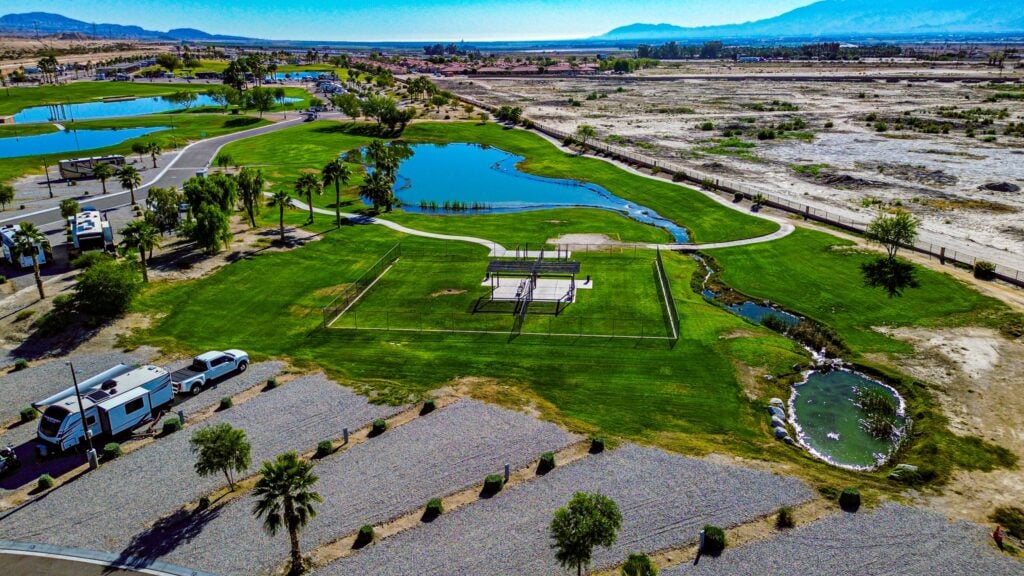
Open 360° Virtual Tours
Clubhouse 360° Tour
Amenity 360° Views
Check out amenity areas via the 360 Tours filter on our Photos page.